


A Lemonade Stand That Charges for Ice
Here's the setup. Your library is EPUBs. Your Kindle only speaks MOBI. Your AI reading assistant only eats PDF. Three formats, one file, and somehow the internet still fails at this. Every "free" converter I tried, CloudConvert, Convertio, FreeConvert, dangles the free part right up until you hit a file size cap, a queue, or a very sudden upsell. It's a lemonade stand that charges for the ice.
That's not really about e-books. It's the whole free-tier internet: monetize the friction, then sell you the fix. So I stopped participating. One hour, one local Flask app, and now converting a book costs me nothing but electricity. No cloud, no subscription, no uploading my reading habits to a server that will absolutely sell that data eventually.
The Boring Stack, on Purpose
Nothing here was invented. It was assembled, on purpose, from parts that already work.
• Backend: Python and Flask. Not exciting. Also never once the reason something broke.
• The actual conversion engine: Calibre's `ebook-convert`, because Calibre has been solving this exact problem since before "vibe coding" was a phrase, and reinventing it would just be ego.
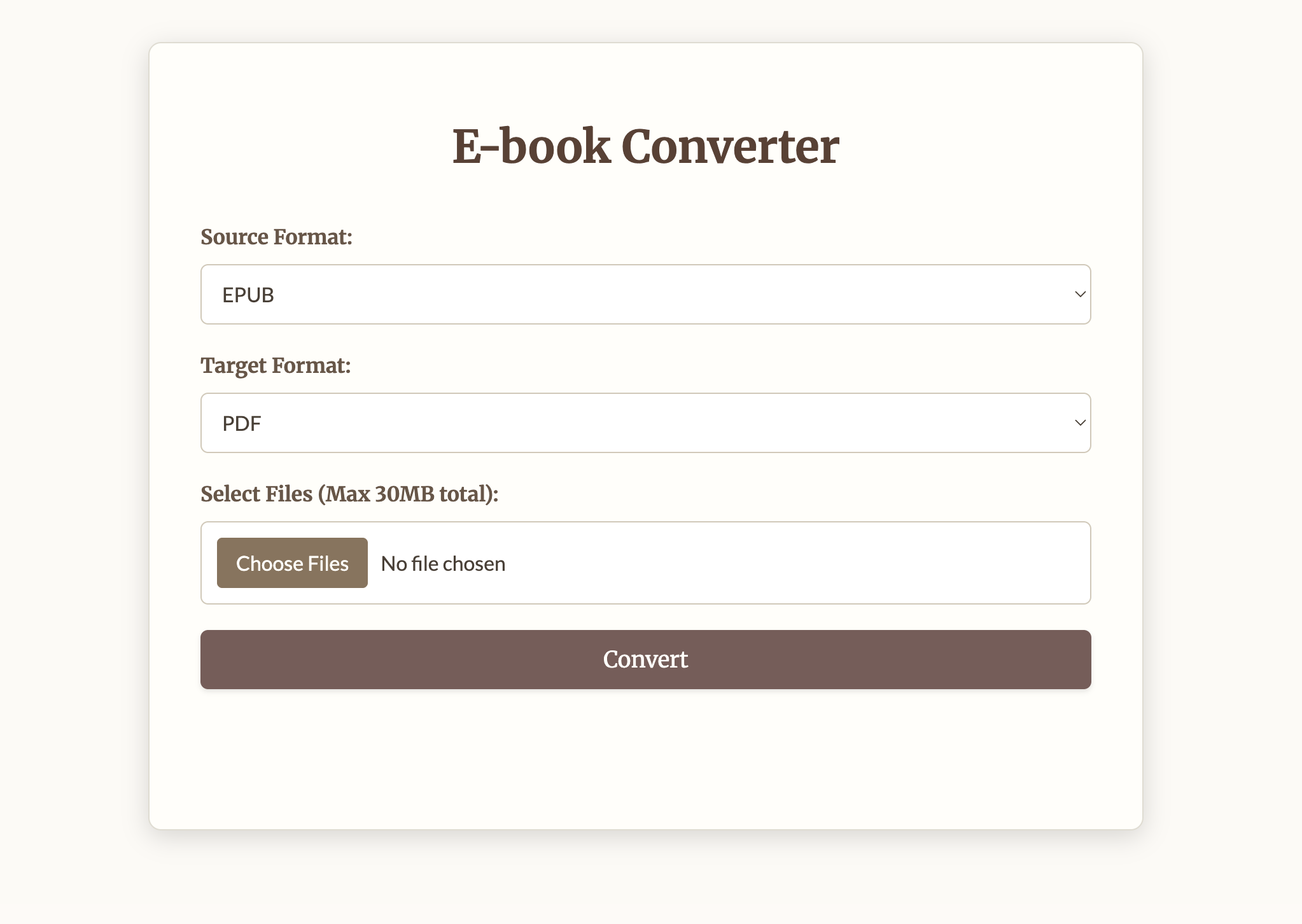
• Frontend: plain HTML, CSS, and a little JavaScript, wrapped in a "bookish" theme, because a tool for reading books shouldn't look like a spreadsheet.
Exit Code 0 Is Not the Same as "The Book Survived"
Here's what the original version actually reported: whether a subprocess exited without crashing. That's it. Calibre returns 0, the app prints "Successfully converted," and you get a green checkmark. What that checkmark does not tell you is whether the table of contents came through, whether the author's name is still attached, or whether chapter 12 is where you left it. You find that out later, on a device, halfway through a book.
So now every conversion gets checked. The tool opens the output, reads the source, and compares them: chapters, word count, images, title, author. Convert a library of fifty books and three come back flagged, you know which three before you load any of them onto a Kindle.
Nothing shells out to Calibre to do the inspecting. EPUB is a ZIP of XHTML read with zipfile. MOBI and AZW3 are PalmDB containers whose headers I parse directly, including the EXTH block where the author's name hides. PDF goes through pypdf. Reading the formats rather than asking a tool about them means a discrepancy can be explained in terms of what is actually inside the file.
The part I'm most careful about is what it refuses to say. MOBI text is compressed, so its word count isn't recoverable without a full decompressor, and the verifier skips that comparison rather than estimating. A check that fires on a file it cannot actually read is worse than no check at all.
The Bug That Scored a Broken Book 100/100
My first version handed a perfect score to a book that had lost its entire table of contents. The inspector falls back to counting headings when there's no TOC, so both sides reported eight chapters and nothing looked wrong. The number matched. The book was still broken.
"Eight entries in a declared table of contents" and "eight headings and no table of contents at all" are different claims, and I'd collapsed them into one integer, which hid precisely the loss the tool exists to catch. Tracking TOC presence separately from chapter count fixed it, and that case is now its own test. I only found it because I built deliberately damaged books and demanded the checker notice.
That's the whole verification approach: fixtures generated from code with exactly known structure, then damaged one specific way each. Six damage modes, six detected, and the undamaged control fires nothing. Real EPUB conversions to PDF, MOBI, AZW3, and EPUB all score 100 through actual Calibre, which is the regression that actually matters. A checker that cries wolf on good conversions is a checker people switch off.
The Actual Point
It converts e-books, and now it tells you whether the conversion was any good. But it also proves something more useful: most "digital convenience" fees are a tax on not knowing you could just build the thing. This is what happens when a clear annoyance meets an hour of free time and zero patience for another upsell.
You can build the tool instead of renting it. And on a good day, the most satisfying response to a broken system is a quiet `python app.py` running in your own terminal, converting your own files, on your own machine, for free.
Try It
The checker runs on its own, with no Calibre and no web app:
git clone https://github.com/ahmeddoghri/bookconverter && cd bookconverter
pip install -e .
bookcheck inspect book.epub                          # what's actually in there
bookcheck verify book.epub book.pdf                  # what changed
bookcheck convert book.epub -t pdf --min-fidelity 90 # non-zero exit below the bar
For the bookish web UI, install Calibre and run python app.py.
Where It Stops
It checks structure, not looks. It counts words, chapters, and images, and it can't tell you a font rendered badly or a table came out mangled. MOBI and AZW3 word counts are skipped because the text is compressed. PDF checks need pypdf, and without it a PDF converts fine but comes back marked unchecked. A score of 100 means nothing it can measure went missing. It doesn't promise a perfect book.