


A Clean Mix Can Still Fail Delivery
Streaming, podcast, and broadcast targets all differ. Turning a file up by ear can miss integrated loudness, loudness range, or true-peak limits, and earn you a second rejected export.
loudnessgate wraps FFmpeg's loudnorm measurement and two-pass normalization with named broadcast, podcast, and music-streaming profiles.
Make Mastering Checkable
The JSON report records integrated LUFS, true peak, loudness range, every pass or fail decision, and the gain required. The same engine drives the CLI, the API, the workbench, the integration test, and the container.
The Demo
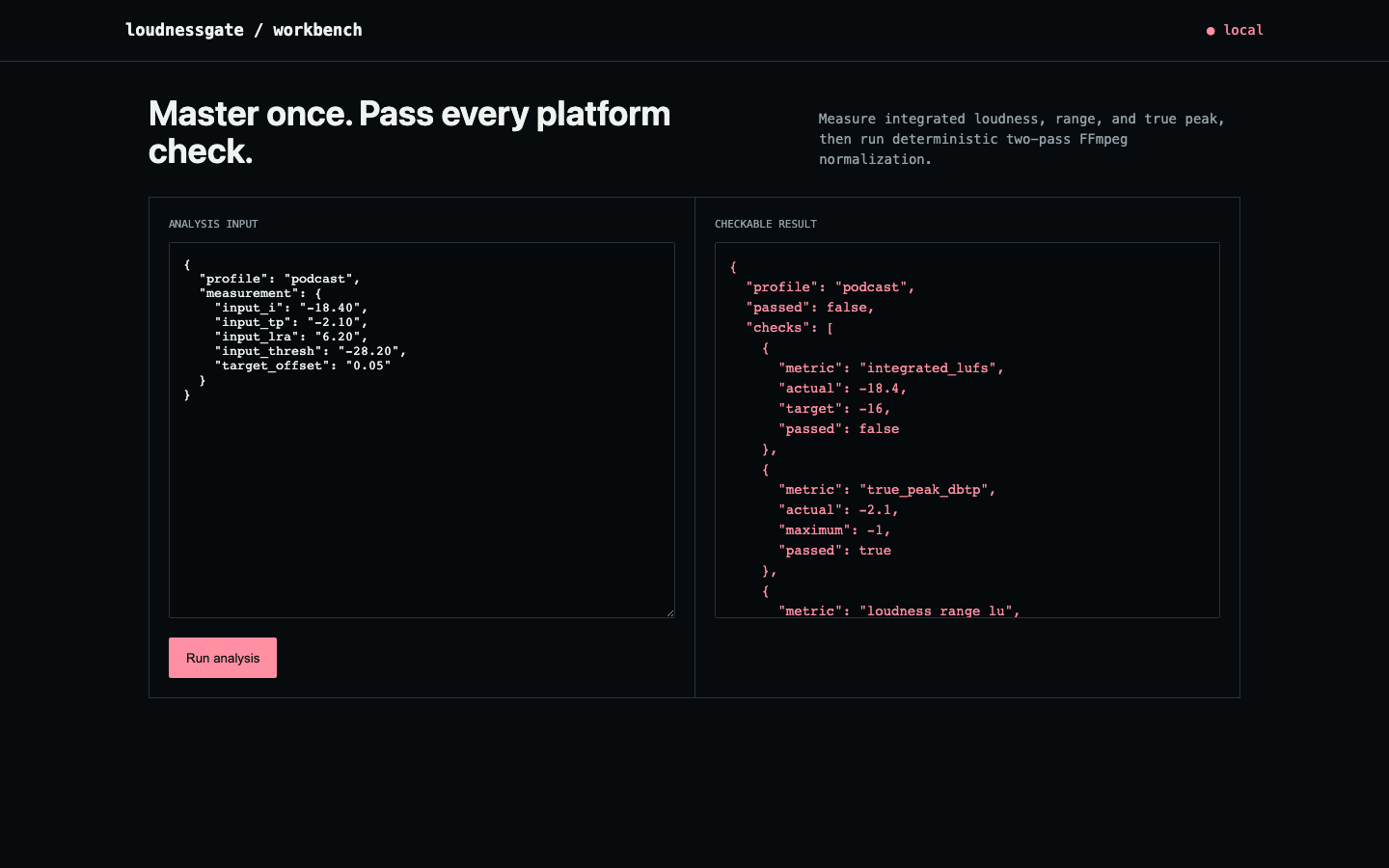
The podcast fixture measures −18.4 LUFS against a −16 target and needs 2.4 dB of gain. Its −2.1 dBTP peak and 6.2 LU range already pass, so the report says exactly why the file fails rather than just failing it.
Two-pass normalization is deterministic for the measured file. Codec overshoot, downstream processing, platform policies, and whether it actually sounds good still need a human.
The API Would Run FFmpeg on Anything You Named
The JSON endpoint accepted two shapes: pre-measured values, or a file path to go measure. The second shape never checked who was asking. POST /api/analyze forwarded the body straight into the measurement function, which ran FFmpeg against whatever local path arrived. Verified against a live instance: {"path": "/etc/hosts"} made the server invoke FFmpeg on that file and echo its error output, path included, back to an unauthenticated caller. That's a file-existence oracle at minimum, and loudness data from any media file on the box at worst.
The fix rejects any body carrying a path before it reaches the measurement code. Measuring a local file stays a CLI operation, where the person running the command already has access to their own files.
Auditing this page, I found the fix had quietly broken the endpoint's actual job. A pre-measured body fell through to measuring an empty path and answered audio file not found:, which tells a caller nothing, and the accepted shape was never documented. It now takes the report's own vocabulary, the same integrated_lufs, true_peak_dbtp, and loudness_range_lu it prints at you, as well as FFmpeg's raw keys, and names the missing fields when neither is supplied.
CI installs FFmpeg and proves the normalization rather than asserting it: it generates a −26 dB sine, runs the two-pass normalize, and fails the build unless the output actually lands on target. It measures −48.05 LUFS going in and −16.05 LUFS coming out, against a −16 target. A Docker job separately checks that a body with a path still gets a 400. 8 tests pass across Python 3.10 through 3.13.
Standards Basis
The measurement model is grounded in EBU R128, and the binary path uses FFmpeg's documented loudnorm filter. Read the EBU R128 loudness recommendation.
Try It
Needs FFmpeg on your PATH:
git clone https://github.com/ahmeddoghri/loudnessgate && cd loudnessgate
pip install -e .
loudnessgate demo                                             # why the fixture fails
loudnessgate normalize in.wav out.wav --profile podcast       # two-pass, measured before and after
loudnessgate serve                                            # workbench on :8090
curl -X POST localhost:8090/api/analyze -d '{"profile": "podcast",
"integrated_lufs": -18.4, "true_peak_dbtp": -2.1, "loudness_range_lu": 6.2}'